
How to bypass DAL update
Railkill has modified DAL.run and DALPatch.run files to bypass the update. Please click the link below to download these files.
Step 1 If DAL Client is not installed in your computer, please download DAL client below. Otherwise skip this step.
Darkness And Light SEA Setup Open Beta Download
Step 2 Download DAL client bypass patch.
DALSEA Bypass Patch Download
Step 3 Unzip DALSEA Patch.rar and extract DAL.run and DALPatch.run into DALsea folder. Click 'yes' to replace the files. Be sure to backup the old files too!
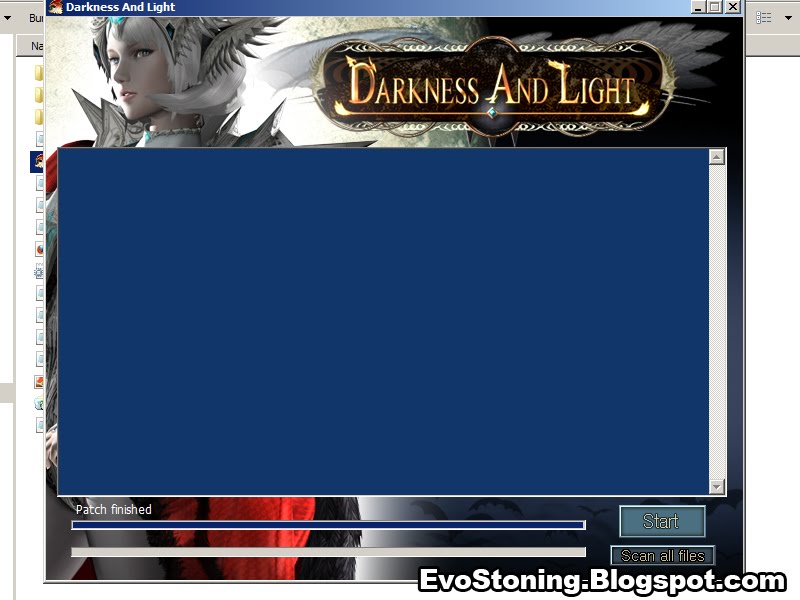
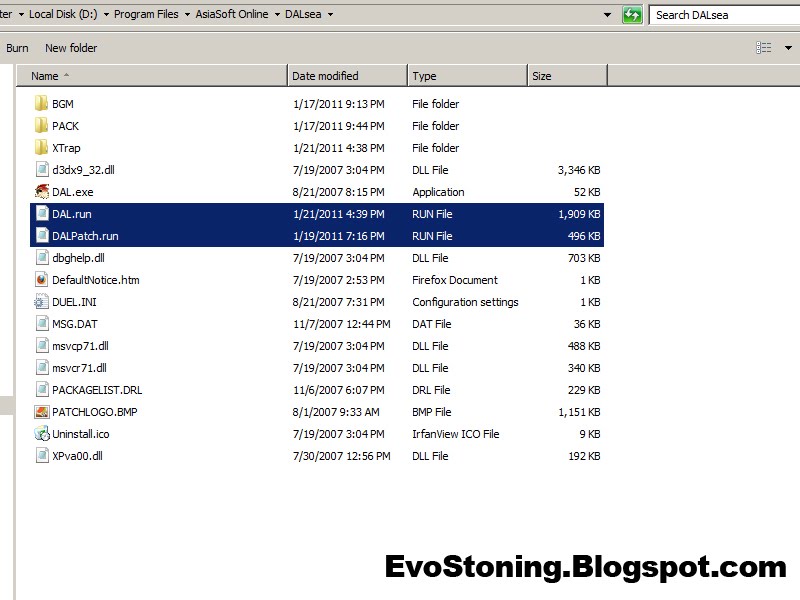 Step 4 DAL will think it has already been patched, so it will say Patch Completed. Click 'Start' to launch the game.
 NOTE: If you're using Windows Vista/7, especially 64-bit users, you might get an error saying that DAL.run is not associated with a program, or something. If so, please run it in compatibility mode for Windows XP, then run as Administrator.
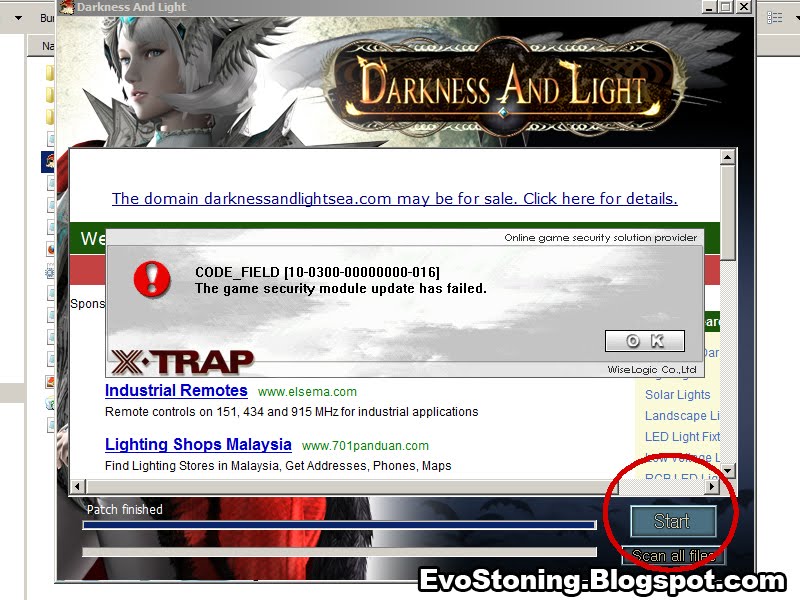
 Step 5 Xtrap error should pops up, click 'Start' again. (Do not click 'OK' as it will terminate the program.)
 Step 6 You should able to enter DAL now, congratulation you've successfully entered the login page. Click 'Replay' to watch your saved replays. Make sure your replay file is placed in DAL\REPLAY folder in My Document.
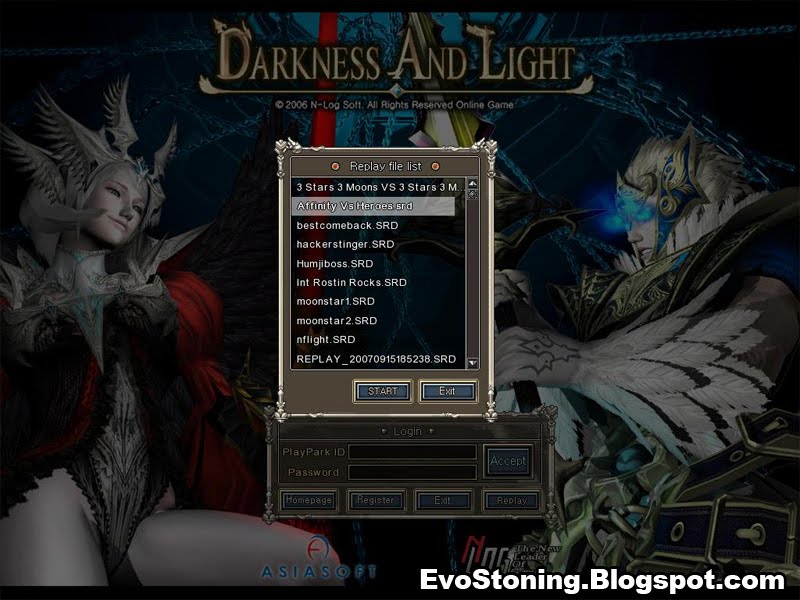 Step 7 Enjoy your replay!
If you do not have any replay file, you can download mine below.
DAL_REPLAY.rar
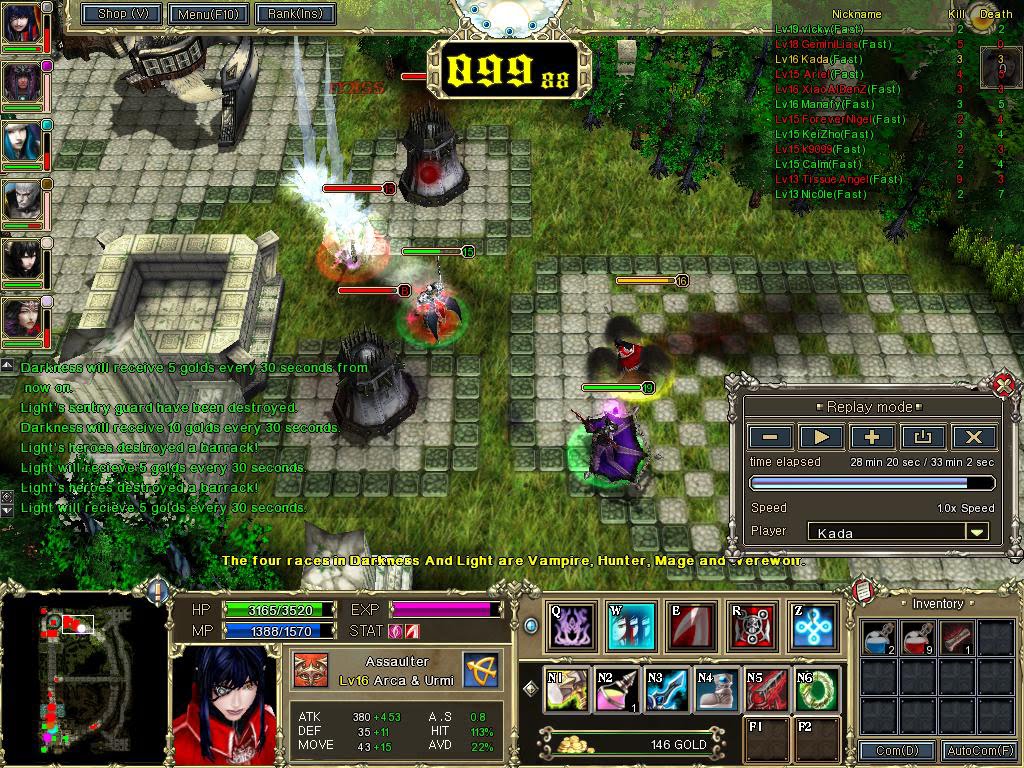
Note: It does not bypass Xtrap update, but you can still enter the game though. If you like it, please visit DAL discussion forum to help RailKill "bypass" login page and Xtrap update.
Visit DAL reverse engineer discussion thread here: http://dalseacommunity.darkbb.com/t116-reverse-engineering-old-dal-client-files


1 comments:
Post a Comment